Contents
Step 4: Add the Pages Customers Use
Customers need a page to buy from, and pages to see what they have bought. Create these menu items in your main menu ( → → , then choose the type under PaddleSubs):
| Menu item title | Menu item type | Settings |
|---|---|---|
Join | Specific product | Subscription Product: Gold Membership |
My Membership | My Access Subscriptions | Access: Registered, so it only shows to logged-in users |
Billing | Billing Portal | Access: Registered |
Thank you | Purchase Complete | Hide it from the menu: on the Link Type tab, set Display in Menu to No |
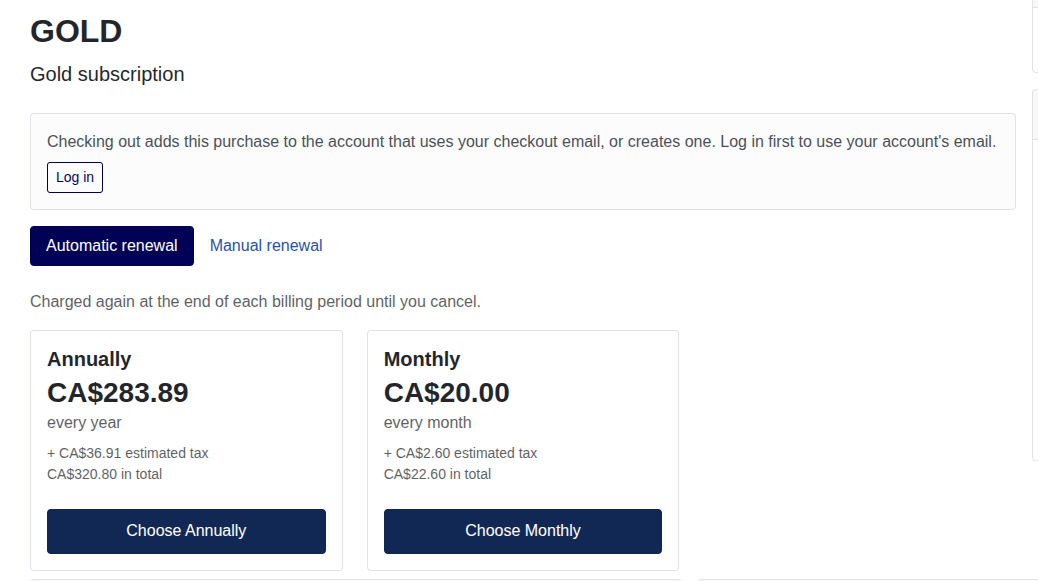
Open Join on your site. It shows the product's name and description, and its prices in two groups, Automatic renewal (the monthly price) and Manual renewal (the yearly price), each with its amount in the visitor's currency and a button.
Figure 5.2. The product page